
3.3 SLX-GW_S-DL_C2 datasheet
SLX-GW/S-DL/C2 Datasheet
This document is the datasheet for the 2-channel DALI sub converter (RS485 communication) component SLX-GW/S-DL/C2 in the SafeLUX system
Document version:V1.0
Release Date:December 15, 2025
Publisher:EFFORT
Document Modification Record
| Version | Date | Modified content | Modifier |
|---|---|---|---|
| V1.0 | 20251215 | First creat | Mihcael |
1. Product Overview
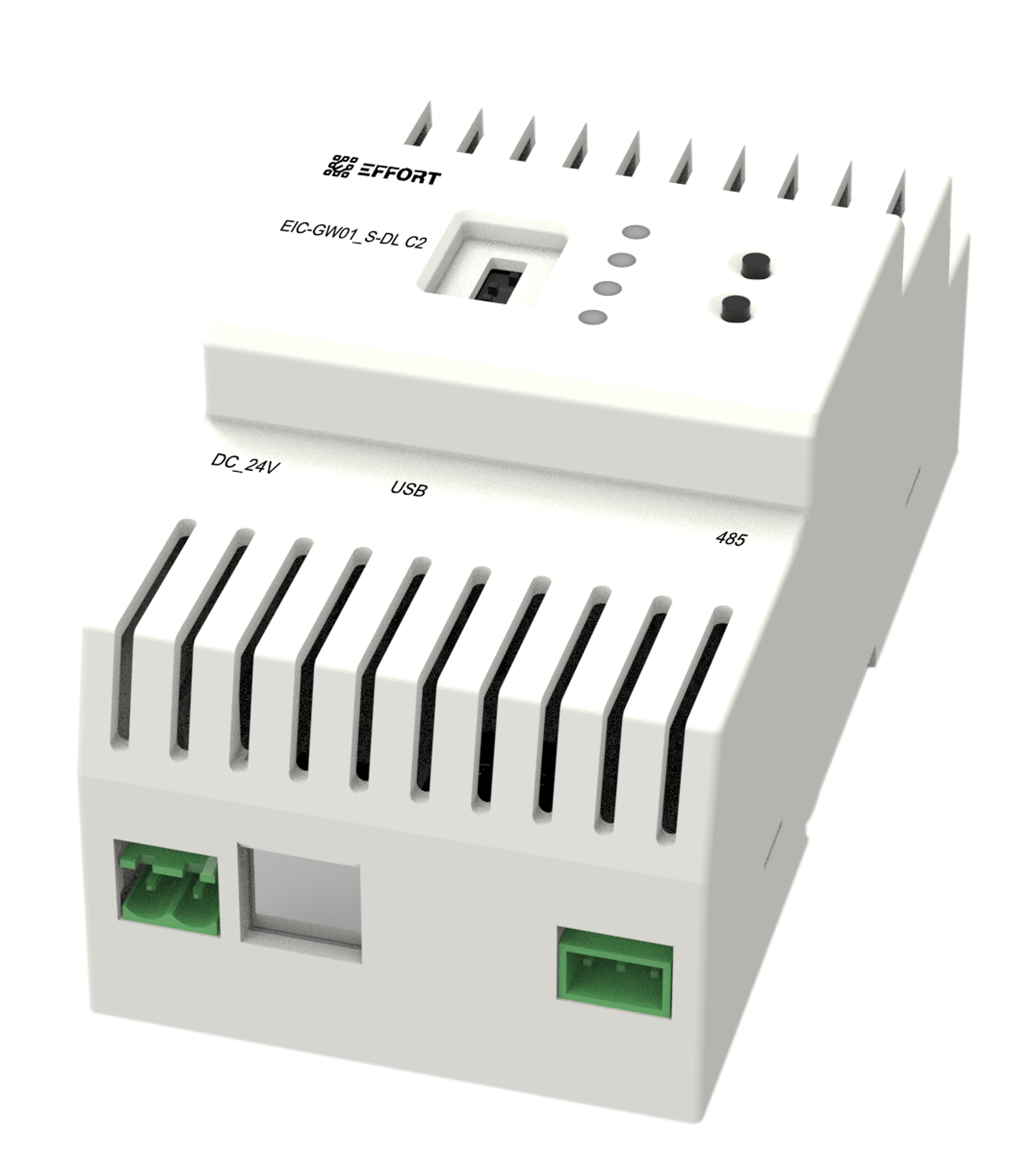
SLX-GW/S-DL/C2
Used to convert DALI signals into RS485 signals and transmit them to the host through RS485 cables
Sub converter for DALI device control
RS485 connection to the master converter
RS485 communication method
Modbus protocol
Dial code to select slave address (1-15)
24V DC power supply
DALI channel number:2
Rail mounted installation
Model Description:
SLX:SafeLUX
GW/S:sub converter(gatway)
DL:DALI
C2:Channel*2
2. Technical Specifications
| Power Port Specifications | |
| Power supply method | DC |
| Input voltage range | 22.8V-25.2V |
| Typical Operating Power | 1.25W |
| Full-load Operating Power | XXW |
| Reverse connection protection | Support |
| Interface type | 5.08mm pitch plug-in terminal block(2 pin) |
| Wiring width | 0.2 - 1.5 mm^2 |
| DALI Interface Specifications | |
| Supported Device Type | DT1 |
| Maximum Number of Supported Devices per Channel | 64 |
| DALI Bus Power Supply Integrated | Yes |
| DALI Bus Voltage per Channel | 15V-18V |
| DALI Bus Output Current per Channel | 130 mA |
| Device Data Refresh Rate | 100ms |
| Interface type | Screw-Type Terminal Block |
| Wiring width | 0.5 - 2.5 mm^2 |
| RS485 Interface Specifications | |
| Interface type | 3.50mm pitch plug-in terminal block(3 pin) |
| Wiring width | 0.2 - 1.5 mm^2 |
| Communication standard | Modbus |
| Baudrate | 9600bps |
| Data bits/stop bits | 8/1 |
| Parity | NONE |
| Opto-Isolation | Supports 3750V Opto-Isolation |
| Termination Resistor | No 120Ω Termination Resistor |
| Other Specifications | |
| Operating temperature range | -10°C to +55°C |
| Storage temperature range | -20°C to +70°C |
| Electromagnetic compatibility (EMC) | EN 61000-6-2 / EN 61000-6-4 |
| Ingress protection (IP) rating | IP30 (Dust-proof, not water-proof, suitable for indoor cabinets) |
3. Mechanical Dimensions & Packaging Specifications
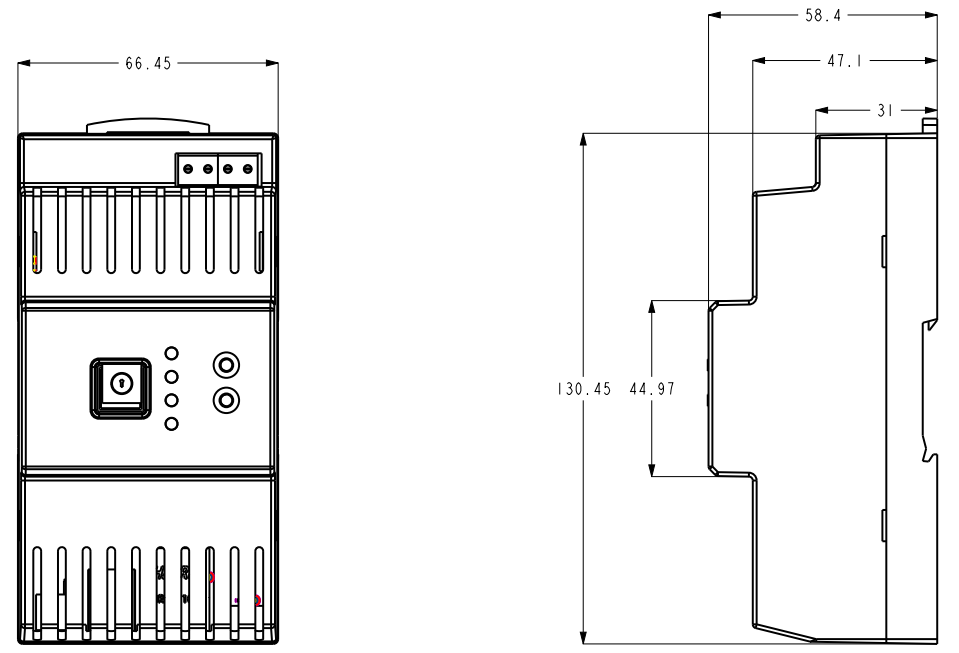
SLX-GW_S-DL_C2_size
unit:mm
Weight per pc:
Packaging dimensions:
Packing list:
4. Certifications
CB
5. Extended Model Description
- SLX-GW/S-DL/C4:4-channel DALI sub converter
- SLX-GW/S-DL/C8:8-channel DALI sub converter
6. Appendix Notes
This product is a component of the 2-channel DALI sub converter in the SafeLUX system, so it needs to be used in conjunction with the SafeLUX system host or master converter. Connect the sub converter directly to the SafeLUX system host through the 485 bus or connect the sub converter to the network master converter through the 485 bus to expand the number of DALI channels.
After adding a converter to the SafeLUX system, you can control the converter and the DALI lamps mounted under the converter DALI bus on the SafeLUX system page.
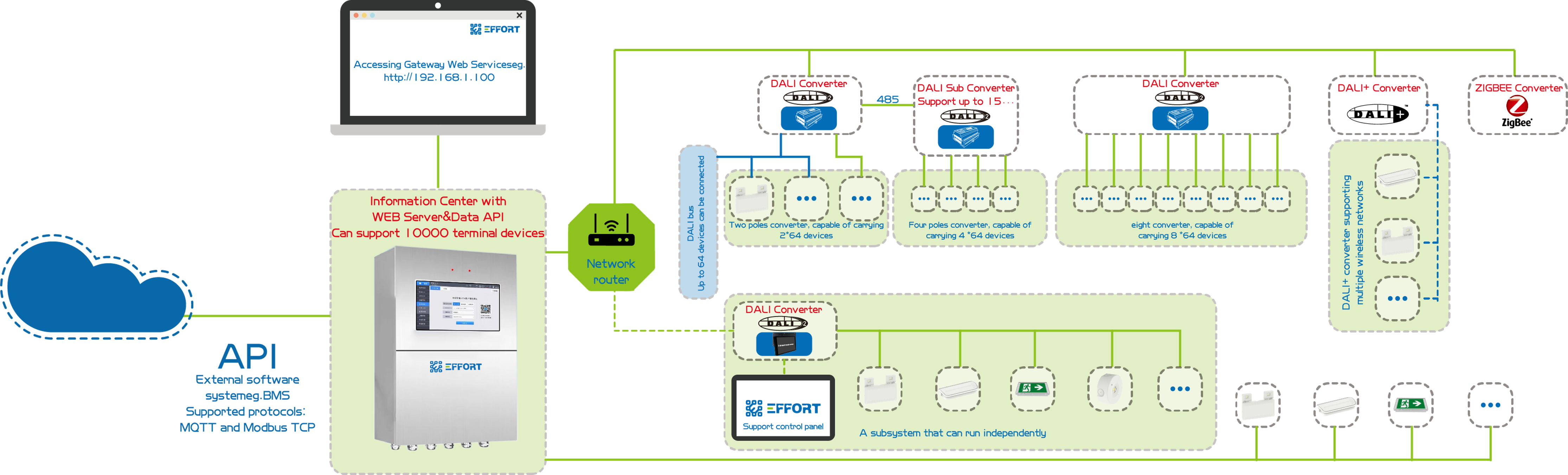
safelux
SafeLUX is a locally deployed emergency lighting management system consisting of a central CPU controller and busscalable gateways,which with an open API and it can control 10000+ DALI-2 emergency devices and can provide local website services.
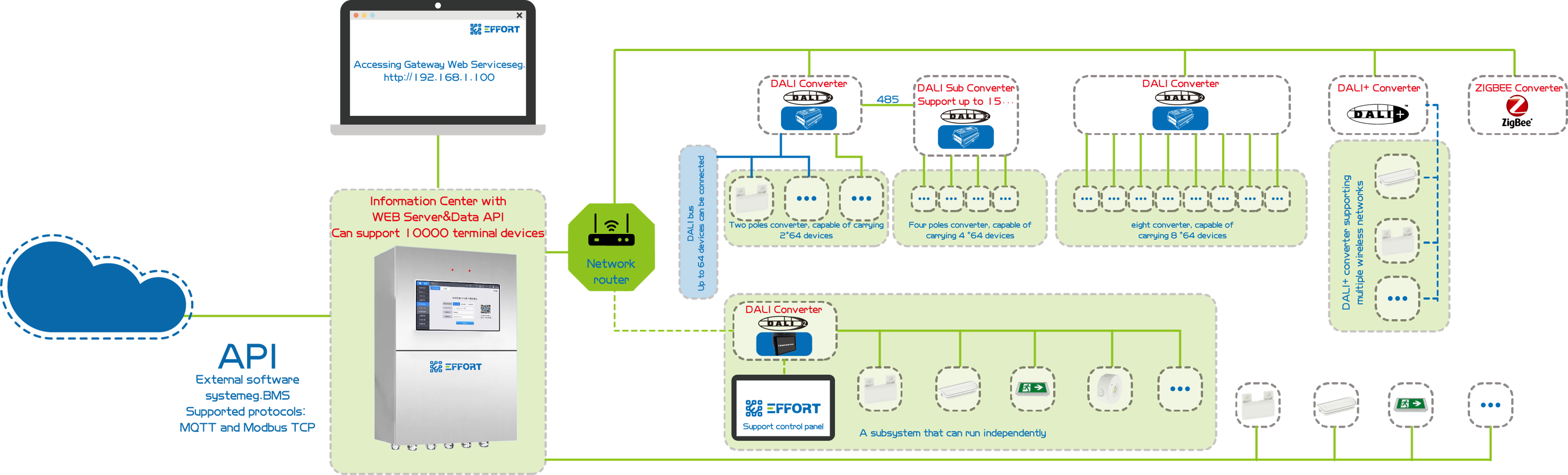
safelux
SafeLUX is a locally deployed emergency lighting management system consisting of a central CPU controller and busscalable gateways,which with an open API and it can control 10000+ DALI-2 emergency devices and can provide local website services.
SafeLUX system features:
Support EMERGENCY LINGHT TESTING
DALI2 CONNECT:SUPPORT DALI DT1 DEVICE
Using HIGH PERFORMANCE CPU: SUPPORT 10000+ DEVICE
Support BUS EXPANSION TECHNOLOGY
EMERGENCY LINGHT TESTING supports the following functions:
Lamp instruction control
Real time detection of lamp status
Automatically collect test results
Test sequence setting
Architectural map
Support sending emails
Historical event records
API Data Interface
SafeLUX host web support features:
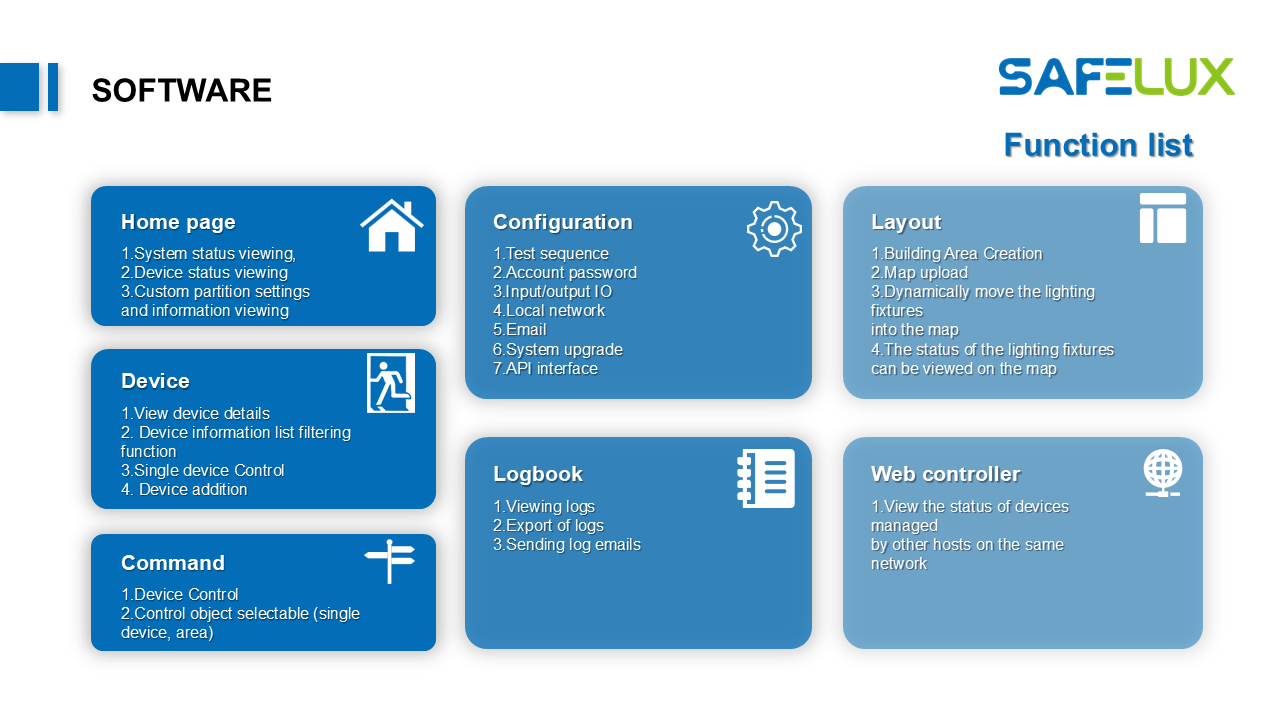
safelux_function_list
For more information, please refer to the SafeLUX host user manual, SafeLUX system user manual, and other related documents.
No comments to display
No comments to display